

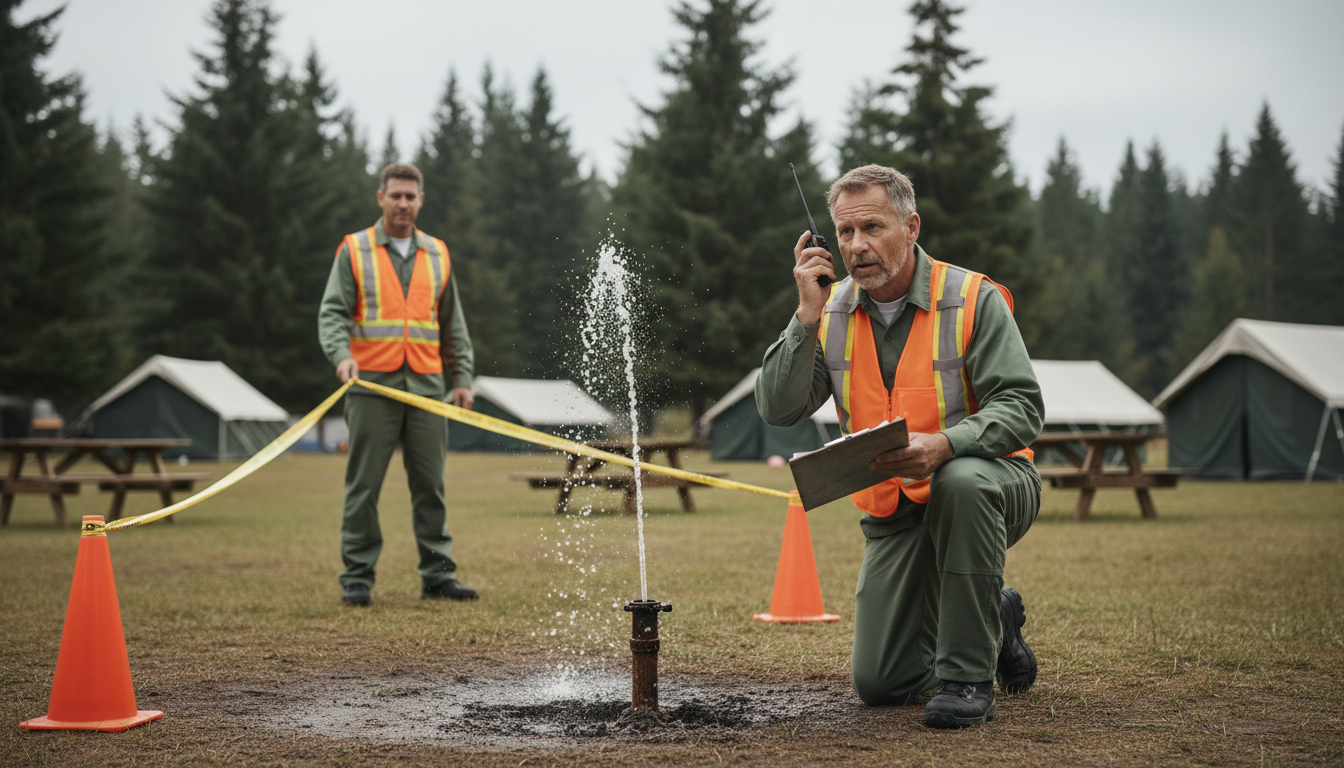
The drain at Site 12 starts backing up during the Friday rush. Guests fire off texts—bathhouse flooded, water everywhere by S-12!—while your team is still juggling check-ins. By the time a maintenance tech finally sees the message, towels, tempers, and five-star reviews are already soaked.
Now imagine a digital ranger that reads every report the second it lands, instantly recognizes bathhouse + backup + Site 12 as a life-safety priority, and auto-dispatches the on-call plumber—no human triage, no crossed wires.
Sound like sci-fi? Fresh research on large language models and real-world pilots in RV parks prove it’s here. Keep reading to see how natural-language processing (NLP) can turn your guest messages, sensor pings, and staff notes into a self-driving maintenance desk that answers before problems spread.
Key Takeaways
Smart operators skim this section first, then dive deeper where the numbers and tactics matter. Scan the bullets, keep them handy, and share them with anyone on your team who still thinks AI is only for Silicon Valley.
– Guest messages can be messy and delayed, so big problems get missed.
– An AI reader (LLM) understands slang, emojis, and misspellings and spots urgent issues fast.
– It can route work orders 27 % more accurately and 41 % faster than old rule lists.
– Make a single asset dictionary so “Site 12,” “S-12,” and “Loop A-12” all point to one place.
– The AI pushes clear tickets into your maintenance system and follows preset urgency rules.
– Phones store tickets offline and sync later; radios stay as backup for life-safety calls.
– A 30-day pilot on one loop can cut response time by 20 % and raise guest ratings.
– Adding sensors and photos next lets the AI predict fixes before campers complain..
These takeaways form a checklist: if you cover each point in your rollout plan, you will hit the same efficiency gains documented in field tests and academic studies. Treat them as mile markers from pilot to property-wide deployment.
Why Radios and Rule Lists Miss the Urgent Stuff
Traditional rule-based filters depend on tidy inputs and predictable phrasing. In a campground, you get the opposite: emojis, misspellings, local slang, and frantic midnight calls from spotty cell zones. A rigid keyword list can’t tell whether S12 bathrm drain yuck 🤢 is bathroom graffiti or a rising sewage line, so low-priority noise buries high-risk signals.
Connectivity gaps magnify the issue. When a dead zone swallows that SOS text until the guest drives to stronger service, the property might lose hours before the ticket even appears. Meanwhile, every minute of delay ratchets up the odor, the cleanup bill, and the chance that the guest vents on social media before you can act.
How Large Language Models Read the Chaos
Large language models (LLMs) excel at teasing structure from messy language. A January 2025 study shows an LLM-powered framework routing public-facility work orders 27% more accurately and 41% faster than rule engines. The system parses text, matches it to assets, predicts urgency, and hands off a clean data packet to scheduling software—all in seconds.
The magic sits in the model’s ability to extract the who, what, where, and how bad from any message. A follow-up July 2025 paper details named-entity recognition, coreference, and relation extraction tuned for operations. Domain-adapted models hit 92% F1 on urgency labels, meaning they rarely miss life-safety events. For campgrounds, that accuracy converts guest panic into precise work orders instead of garbled radio chatter.
Give the Model Your Property’s Dialect
Even the smartest LLM needs a cheat sheet for your place. Start by building an asset dictionary that maps every bathhouse, pedestal, cabin, loop, and trailhead to consistent names. Include common misspellings and shorthand—DS for dump station or Loft Cabn for the new glamping unit. Feed this dictionary into the NLP pipeline so Site 12, S-12, and Loop A-12 resolve to one location.
Consistency must stretch beyond the model. Align signage, PMS labels, maps, and staff lingo so no one calls the same building Pool House on the radio and Filter Shack in the CMMS. Quarterly reviews during the slow season keep the vocabulary fresh as you add pickleball courts or renumber pads. When the language matches across guests, staff, and software, the model sees one clear signal instead of scattered whispers.
From Parsed Text to Wrench in Hand
Once the model tags a message with asset, failure mode, and urgency, it pushes that intel into your ticketing or CMMS platform. Here’s where an escalation matrix earns its keep. Pre-define tiers—life-safety, guest-comfort, routine, preventive—and map each to an action: immediate phone call, 15-minute SMS, or next-shift batch. If model confidence drops below a threshold or network service hiccups, failover shunts the ticket to a human dispatcher rather than letting it stall.
A recent RV park case shows what happens when intelligent triage meets automated routing. Restroom response times fell 35%, and Google ratings rose nearly half a star. The platform stitched together incoming texts, usage sensors, and a route-optimization engine, so the closest technician with the right parts got the ping first time—no group chats, no guesswork.
Connectivity Isn’t an Excuse—Design for It
Rural Wi-Fi dead zones don’t have to hobble AI. Choose mobile apps that store work orders offline and sync the moment a device reaches the lodge network. Drop low-cost access points near bathhouses and pool decks—hot spots for both guest traffic and urgent issues. Keep a radio channel as a belt-and-suspenders backup for life-safety calls, and cache the asset dictionary locally on phones so the model still recognizes Site 12 sewer without constant cloud pings.
By engineering offline resilience, you turn connectivity gaps from show-stoppers into minor delays. The request is still captured, labeled, and queued, preserving the timeline for later analysis. That historical view becomes gold when you compare resolution speeds between connected and offline zones and decide where the next Wi-Fi repeater pays for itself.
Train People, Tune Models, Track Numbers
Technology only sticks when the humans trust it. Launch a one-loop pilot and baseline your current mean time to respond, misrouted tickets, and refund credits. Then turn on NLP triage and show the quick wins—those metrics usually shift within two weeks. A monthly scoreboard keeps the change visible and lets techs see how their resolved taps retrain the model.
Continuous improvement matters more than day-one perfection. If the system mislabels a dump-station odor as low priority, capture that correction and feed it back. Over a season, the model hardens; over a year, it predicts failures before guests complain. Pair the data trends with SOP updates—like checking cable pedestals every wet Friday—and the ROI compounds long after the pilot glow fades.
Your 30-Day Roadmap to Faster Fixes
During the first week, audit every intake channel—front-desk phone lines, SMS numbers, QR codes, and app chat modules. Document where guest messages disappear, duplicate, or stall, then diagram the ideal flow so you have a target architecture in mind. In week two, build and upload the asset dictionary, syncing names across signage, PMS fields, and the new NLP platform so every future ticket speaks the same language.
Week three shifts from mapping to testing. Configure escalation tiers, integrate the model with your CMMS, and replay last season’s urgent tickets to gauge routing accuracy under controlled conditions. Finally, week four is your live-fire moment: flip the switch for one loop, measure time-to-dispatch each day, and run a 15-minute huddle where techs flag any misclassifications. By day 30, you should see at least a 20% speed bump on urgent tickets and fewer than 5% manual reclassifications, proving the system’s readiness for property-wide rollout.
Successful pilots scale fast. Once the proof is in your numbers, expand to all loops and schedule monthly model updates. Feed resolution data back in, refresh the asset dictionary every quarter, and watch guest-impact refunds shrink with each iteration.
Sensors, Photos, and the Next Wave
Text isn’t the only signal worth parsing. Low-cost vibration sensors on lift stations can alert the same NLP pipeline, adding machine data to guest reports. Photos attached to SMS tickets run through computer vision, giving techs a visual of the clog before they grab tools. Multimodal models that blend text, image, and IoT streams will hit maintenance suites by 2026, so choose APIs that stay flexible today.
The sooner you start capturing structured data, the smoother that upgrade path becomes. When sensors and snapshots flow into the same triage brain, your maintenance desk moves from reactive firefighting to predictive stewardship—exactly what modern campers expect when they book a premium stay. Over time, those predictive insights will let you schedule repairs during low-occupancy windows, locking in both guest satisfaction and labor efficiency.
The difference between a flooded bathhouse and a glowing five-star review now comes down to whether your park can interpret a frantic emoji before it becomes an online complaint. NLP triage is the fastest route from Uh-oh to All fixed, and the operators who adopt it first will set tomorrow’s guest-service standard. Ready to turn your messages, sensors, and staff chatter into an always-on digital ranger? Reach out to Insider Perks—our team blends marketing savvy, targeted advertising, and battle-tested AI automations to wire every inch of your campground for quicker fixes and happier campers. Let’s map your property’s language, plug it into smart workflows, and make sure the next Site 12 crisis is over before anyone notices. Book your strategy session today.
Frequently Asked Questions
Q: Do I need to rip out my current work-order or PMS system to use NLP triage?
A: No, most NLP maintenance platforms connect through open APIs or email parsing, so you can layer them on top of your existing CMMS, PMS, or ticketing software without replacing the core tools you already know.
Q: How much training data does the model require before it starts adding value?
A: A well-tuned, hospitality-specific model can begin routing tickets accurately with just a few hundred historical work orders and an asset dictionary, then refine itself in real time from staff corrections and seasonal updates.
Q: What kind of upfront costs should a small campground expect?
A: Entry-level plans are typically SaaS subscriptions that start around the price of one peak-season booking per month, with optional onboarding fees for asset mapping and integrations; hardware costs are limited to any tablets or phones your team already carries.
Q: How do I keep guest messages private and compliant with data regulations?
A: Reputable vendors encrypt data in transit and at rest, isolate each client’s records, and offer SOC-2 or ISO 27001 compliance so that guest phone numbers and chat transcripts remain protected under the same standards as your PMS.
Q: What happens if the Wi-Fi goes down or a tech loses cell service on the back loop?
A: Most mobile apps cache the latest work-order queue and asset dictionary locally, so the technician can still see and update tickets offline; as soon as the device regains signal, it syncs automatically without duplicating work orders.
Q: Can the model understand slang, emojis, or guests who type in all caps from their RV?
A: Yes, large language models are trained on billions of informal text snippets and can reliably interpret emojis, misspellings, and caps-lock rants, then normalize them into clean data fields for asset, issue type, and urgency.
Q: How do we prevent false alarms or over-escalation that pull techs off other jobs?
A: You set confidence thresholds and multi-tier escalation rules in the admin dashboard; tickets the model flags as uncertain drop into a human review queue, keeping the auto-dispatch engine focused only on high-certainty emergencies.
Q: Will my maintenance team push back on “robot dispatching”?
A: Pilots show that technicians quickly accept the system when they see urgent tasks reaching them sooner and low-value chatter disappearing, especially if you involve them in refining the asset dictionary and keep a scoreboard of faster response times.
Q: How often should we update the asset dictionary once everything is live?
A: Review and refresh the dictionary at least quarterly or whenever you add new sites, cabins, or amenities so the model keeps pace with on-the-ground changes and maintains high accuracy.
Q: Can I blend sensor alerts or photos with text tickets today, or is that still experimental?
A: Many platforms already accept IoT pings and image attachments, routing them through the same NLP pipeline, so you can start combining lift-station sensors and guest snapshots now and be ready for full multimodal models later.
Q: What kind of ROI have similar parks realized after launch?
A: Case studies report 20–40% faster response times on life-safety issues, a measurable drop in refund credits, and Google rating bumps of 0.3–0.5 stars within a single season, typically offsetting subscription costs in the first few months.
Q: How long does a typical rollout take from kickoff to first live loop?
A: With a clear asset list and integration access, most properties can audit channels, load data, test routing, and go live in a pilot section within four weeks, then expand property-wide over the following month based on pilot metrics.