

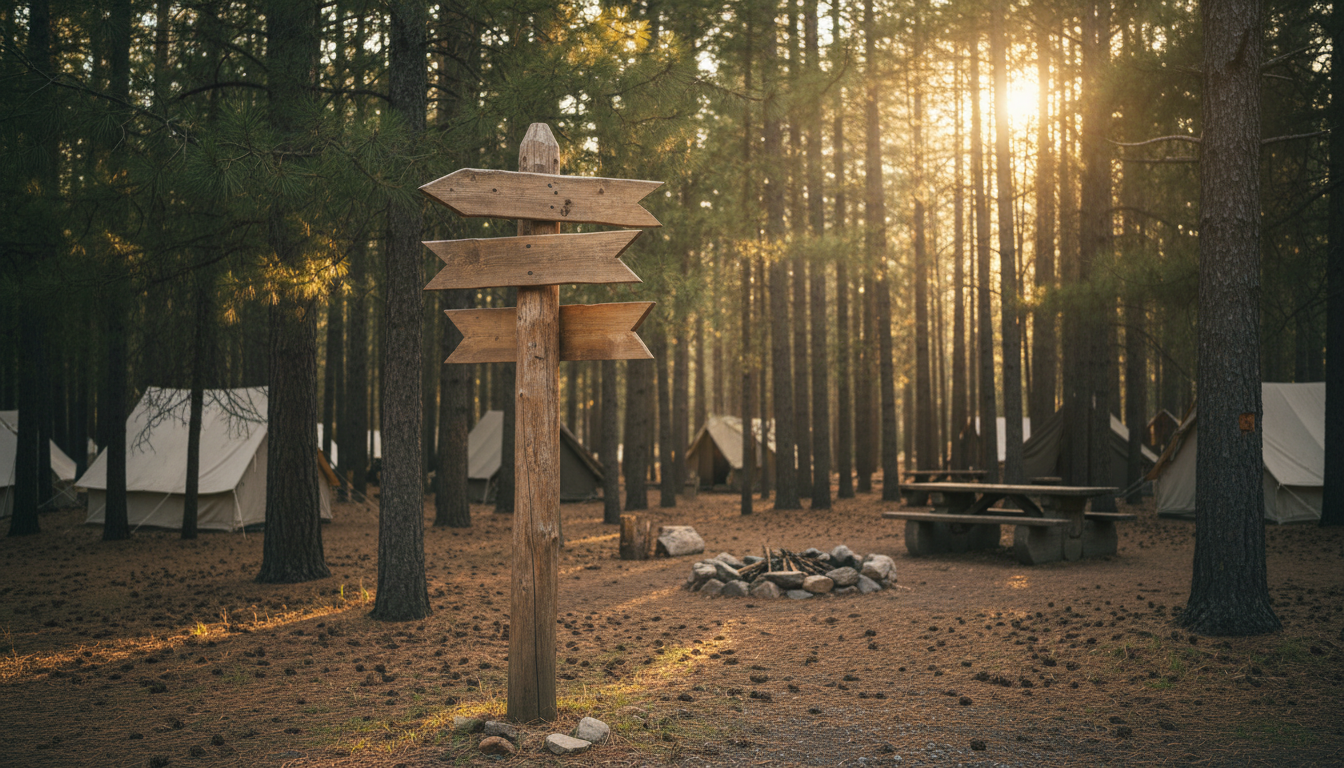
Guests will forgive a wrong turn on the interstate—but not inside your park. Every minute they spend circling for the Blue Loop or hiking the wrong trail chips away at satisfaction scores, retail spend, and your hard-earned brand promise.
Imagine a map kiosk that greets “Road-Rovers” by name, a trail marker that doubles as a selfie backdrop, or a battery-powered screen you can wheel to tonight’s stargazing party. Done right, wayfinding isn’t just directions; it’s storytelling that sells extra nights.
Ready to turn every arrow, screen, and campsite number into a silent brand ambassador? Let’s map the path.
Key Takeaways
• Clear, friendly signs make guests happy, cut wait times, and boost spending
• Walk the park like a first-timer and highlight every spot that feels confusing
• Make signs look and sound like your brand, from colors to fun nicknames
• Use sturdy fixed signs for basics and mobile screens for quick updates
• Follow the 3-30-100 rule: big hint at 100 ft, choice at 30 ft, confirm at 3 ft
• Pick weather-proof materials so colors stay bright and edges stay safe
• Design for everyone: right heights, big contrast, Braille, no glare at night
• A cloud system lets staff change digital messages in under a minute
• Check surveys, app heat maps, and sales numbers, then tweak and repeat.
Why Branded Wayfinding Pays for Itself
Clear navigation shortens check-in lines, lowers radio chatter, and frees staff for upsells at the camp store. Internal audits across multiple Insider Perks clients found a 12 percent lift in five-star mentions for “easy check-in” after cohesive wayfinding rolled out. That spike alone nudged occupancy three points and added thousands in shoulder-season bookings.
Revenue flows later, too. When travelers arrive relaxed—and on time—they linger at firewood stands, brewpub trailers, and bike-rental shacks. Arbitron’s Digital Place-Based Media Study reported a 24 percent jump in dwell time when guests encountered engaging on-site screens. Translation: your “expense” quietly turns into nightly rate bumps, souvenir sales, and repeat visits.
Start With an Honest Journey Audit
Grab a fresh campsite map, two colored highlighters, and a weekend afternoon. Walk or drive the full arrival sequence as if you were a first-timer showing up after dark. Mark every hesitation node—those spots where you slow, squint, or wonder, “Is this right?” Nighttime glare, dripping canopies, and high weeds often reveal gaps daylight tours hide.
Then layer in data. Your PMS heatmaps show bottlenecks at laundry loops and surprise U-turns near pet areas. Overlay those moments on the paper map to create a scorecard: visibility at 100 feet, brand consistency in color and tone, ADA compliance, and maintenance condition. Each red box on that scorecard points straight at a revenue leak.
Translate Brand DNA Into Physical Cues
A rustic, back-to-nature park should feel that way from the entry monument to the exit placard. Reclaimed timber posts, routed lettering, and earth-tone paint echo the campfire vibe guests booked online. A slick RV resort with pickleball courts and fiber Wi-Fi? Powder-coated aluminum panels, minimal sans-serif fonts, and halo-lit logos announce modern comfort before a single staff greeting.
Keep it consistent. Build a micro style guide that lists approved PMS colors, typefaces, and icon shapes. If your website calls guests “Road-Rovers,” every campsite post, map kiosk, and check-out reminder should greet them the same. Subconsciously, those cues reassure travelers they’re still on the right path—and remind them which brand delivered the smooth ride.
Pick the Format That Fits the Moment
Static core signs offer permanence for high-sun spots or budget-tight upgrades. High-pressure laminate panels shrug off snow, salt, and kids’ bike handlebars. Embossed metal trail blazes stand up to torrential rain and still gleam at dusk. Reserve these classics for gateway monuments, loop identifiers, and campground maps that rarely change.
Digital screens add agility. Chief’s new Velocity Outdoor Pedestal accepts standard 55-inch displays and installs with two people thanks to a French-cleat bracket modular mounting system. Need a seasonal counter? Wheel a battery-powered kiosk from Palmer Digital Group onto the grass; it runs 24 hours on a charge and beams LTE or Wi-Fi updates to late-arriving guests portable kiosk solution. Blend static heritage with digital flexibility so your navigation adjusts as fast as guest behavior does.
Place Every Sign With Behavioral Science, Not Guesswork
Think of signage like breadcrumbs: the first one belongs before the decision, not after a wrong turn. At 100 feet out, a large reassurance panel signals drivers they haven’t missed the gate. Thirty feet out, a directional split offers “Check-In Left, Glamping Tents Right.” Three feet from the window, an eye-level map and lane number close the loop. This 3-30-100 rule trims idling engines and frayed tempers.
Inside the park, color-coded zones simplify mental maps. Blue Loop stays blue from entry arch to picnic-table sticker, while red trail blazes repeat every few hundred feet along the ridge trail. Guests trust the pattern; staff field fewer “Did I miss it?” calls. Add small arrows at regular intervals—same shape, same orientation—so brains process direction unconsciously, leaving more bandwidth for merch displays and Instagram sunsets.
Choose Materials That Outsmart Weather and Wear
A sign that fades to beige after one summer broadcasts neglect louder than a thousand online reviews. UV-stable inks and marine-grade aluminum combat desert sun and ocean spray alike. High-density polyethylene resists insects, splintering, and the thwack of an over-packed RV bumper. Where foot traffic is thick, an anti-graffiti coating means a single wipe erases permanent marker mishaps without sanding or repainting.
Design human safety into the hardware. Rounded corners and smooth edges protect toddlers chasing squirrels and pets nosing around guideposts. Schedule bi-annual inspections: tighten bolts, re-level posts, and rinse dust film. Preventive care costs a fraction of emergency replacements and keeps your brand colors crisp for the next family album.
Make Inclusion Part of the Adventure
Wayfinding fails when even one guest feels lost. Mount identification signs between 48 and 60 inches so a wheelchair user and a standing parent can both read tactile text. Raised characters at least one-thirty-second inch high, paired with Grade 2 Braille, turn independence into memory instead of struggle.
Contrast drives legibility. A 70 percent difference between text and background pops in moonlight or midday glare. Non-glare finishes prevent blinding reflections from headlights. And because campgrounds treasure dark skies, shield internal lighting downward and keep color temps warm. The stars remain sharp, and your park still glows with welcome. Inclusive design, highlighted at the 2025 SEGD Wayfinding + Placemaking conference inclusive signage insights, isn’t a checklist—it’s the heartbeat of modern hospitality.
Keep Content Fresh Without Re-Wiring Poles
A cloud-based CMS turns every digital hub into a live billboard. Staff can push a flash-flood warning, trivia-night reminder, or last-minute propane discount in under sixty seconds. Tie the platform to your PMS so vacancy status, Wi-Fi passwords, or loyalty perks appear automatically after check-in. Guests feel seen; staff skip manual uploads.
Future-proof your templates. Pre-load summer concert frames, fall foliage tours, and winter light-show banners so seasonal swaps require nothing more than date changes. Run quarterly audits to retire stale promos, verify QR codes, and refresh photography. Train at least two employees per shift on basic reboots—because a dark screen at the gate kills first impressions faster than a slow web page.
Measure, Iterate, and Repeat
Numbers end debates. Track guest satisfaction surveys, monitor heat-maps from mobile apps, and log maintenance hours saved after upgrading materials. Compare retail revenue in areas near new kiosks versus control zones. Even test two icon sets side by side—maybe the retro compass beats the trendy chevron. Data tells you when to pivot arrow design, reposition a kiosk, or expand color loops.
Iteration is the final mile in any wayfinding journey. Treat signs like software: release, learn, refine. That mindset keeps navigation friction-free, brand voice unmistakable, and revenue curves climbing long after the ribbon-cutting photo fades.
Your park already tells a story; your signs decide whether guests hear it. When every post, panel, and pixel pulses with your brand, confusion evaporates, dwell time climbs, and five-star reviews write themselves. If you’re ready for directions that double as revenue generators, let Insider Perks chart the course. Our campground-savvy marketers fuse design, advertising, AI, and automation to audit your current wayfinding, craft on-brand visuals, and push real-time updates while you focus on hospitality—book a quick strategy call today and see how effortlessly the right arrows can point straight to higher occupancy and happier guests.
Frequently Asked Questions
Q: How much should I budget per site or cabin for a full wayfinding refresh?
A: While costs vary by material and park size, operators typically allocate $75–$150 per key campsite or rental unit for static signs and $3,500–$7,500 per digital kiosk; including design, permitting, and installation, a 200-site park often lands in the $20,000–$35,000 range, which our clients usually recover within 18–24 months through higher occupancy and ancillary spend.
Q: Can I phase the project instead of swapping every sign at once?
A: Absolutely—most parks begin with the arrival sequence, check-in zone, and highest-traffic loops, then roll new signage to secondary areas during shoulder seasons; phasing spreads cash flow, lets you test guest response, and prevents operational disruption during peak months.
Q: How long does the process take from audit to finished installation?
A: A modest property can move from journey audit to mounted hardware in 8–12 weeks, while large resorts with custom fabrication, permitting, or digital infrastructure typically plan for 16–20 weeks; factoring weather windows and supplier lead times into your timeline keeps surprises to a minimum.
Q: Do battery-powered kiosks really hold up without trenching power lines?
A: Modern outdoor units pair lithium packs with efficient sunlight-readable displays and low-draw LTE modems, delivering 18–24 hours per charge; most owners swap or recharge batteries daily with a golf-cart-style plug, avoiding excavation costs and preserving natural landscaping.
Q: How do I make sure every sign meets ADA guidelines?
A: Engage a certified accessibility consultant during design, follow the 48–60-inch mounting height, 70 percent color contrast, and Grade 2 Braille rules, and request shop drawings that show tactile letter heights and clear floor space so the fabricator bakes compliance into production instead of retrofitting later.
Q: Will these materials survive our desert sun, coastal salt air, or freezing winters?
A: Specifying UV-stable inks, marine-grade powder-coated aluminum, high-pressure laminate, or HDPE ensures color fidelity and structural integrity for 10-plus years in almost any climate; adding anti-graffiti clear coats and stainless hardware further protects against corrosion, fading, and vandalism.
Q: Can the signage talk to my PMS or guest-app software?
A: Yes—most cloud CMS platforms offer open APIs or simple webhook integrations that pull reservation data, loyalty perks, or emergency alerts directly from systems like Campspot, RMS, or Newbook, so screen content updates in real time without extra staff steps.
Q: How often should we refresh digital content once the screens are live?
A: Push time-sensitive alerts as needed, but schedule a weekly 10-minute check to rotate promos and a quarterly audit to swap seasonal templates, verify QR codes, and archive expired events; consistency keeps guests engaged and prevents “screen blindness.”
Q: What’s the most effective way to gather guest feedback on our new wayfinding?
A: Insert a single navigation question into your post-stay survey, monitor review sites for map or signage mentions, and watch heat-maps inside your mobile app; combining qualitative comments with directional data pinpoints lingering pain points for iterative fixes.
Q: Do I really need a professional designer, or can my maintenance team handle it?
A: Your crew can install posts and perform upkeep, but a designer versed in environmental graphics ensures brand cohesion, legibility, and code compliance; many operators hire a specialist for the creative phase, then rely on in-house talent for fabrication oversight and maintenance.
Q: How do I keep branding consistent across the website, brochures, and physical signs?
A: Create a micro style guide with Pantone colors, font hierarchies, icon sets, and tone-of-voice examples, then require vendors and staff to reference it for every asset, ensuring guests experience a seamless narrative from booking confirmation to trailhead marker.
Q: Are there incentives or grants that offset costs for accessibility or sustainability upgrades?
A: Depending on your state, you may qualify for ADA tax credits covering up to 50 percent of eligible expenditures and conservation grants for energy-efficient digital hardware; local tourism boards also offer matching funds when signage enhances visitor experience, so check with your economic development office.
Q: What permits or approvals will I need before installation?
A: Gateway monuments usually require county or city sign permits, while interior wayfinding on private land rarely does, but always verify height, illumination, and setback rules with zoning officials, and obtain historic or environmental clearances if your property lies in protected areas.
Q: How do I calculate return on investment for wayfinding improvements?
A: Track pre- and post-installation metrics such as average check-in time, five-star cleanliness or convenience mentions, retail per-cap spend, and occupancy rates in adjacent loops; dividing the revenue lift by total project cost yields a payback figure your finance team will appreciate.
Q: What strategies deter vandalism or theft of signs and kiosks?
A: Use tamper-proof anchors, embed RFID or QR asset tags for easy tracking, position cameras or motion-sensing lights near high-value displays, and design posts with break-away bolts so components can’t be removed without specialized tools, discouraging opportunistic damage.