

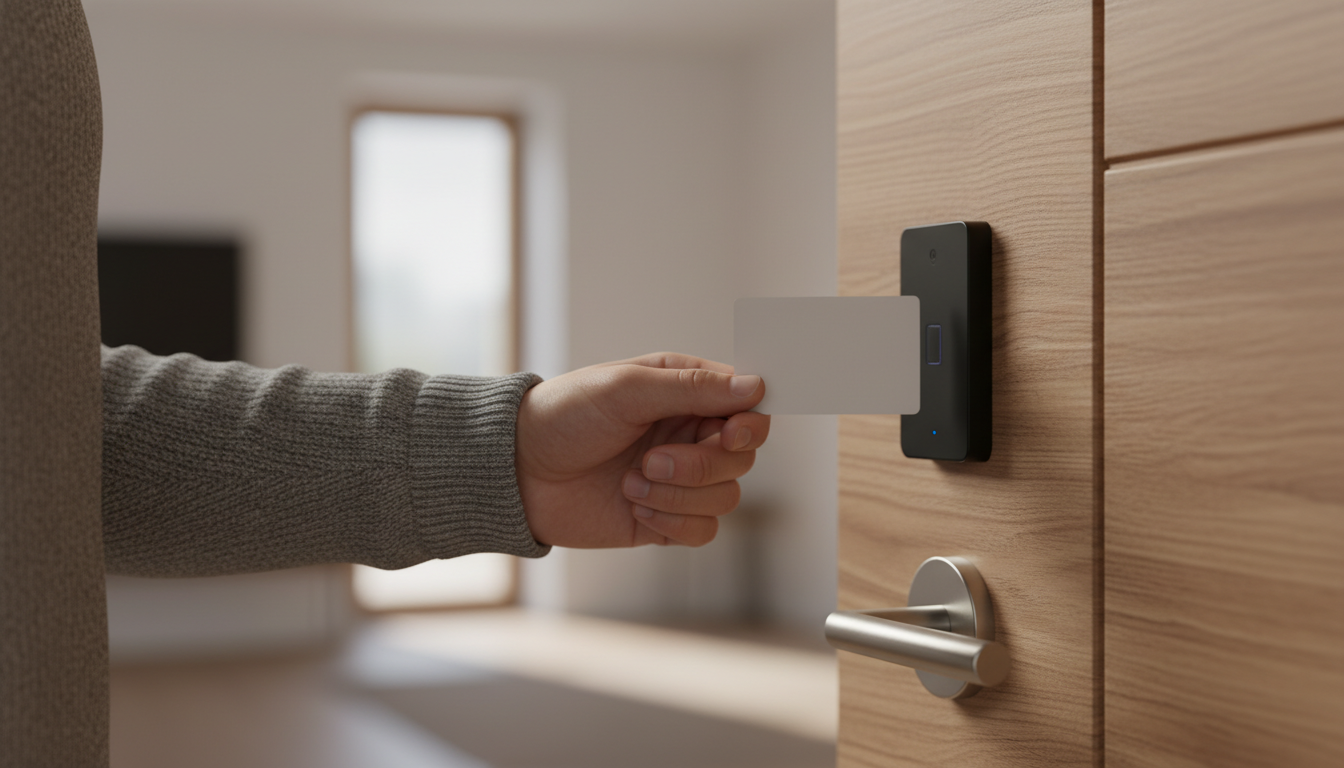
Saturday, 5:07 p.m.—your check-in line is growing, kids are already asking about the pool, and a cabin guest just realized they left their key in last night’s rental car. Imagine replacing that chaos with a tap-and-go wristband that opens the cabin, charges the camp store s’mores kit, and unlocks the laundry room—all while your staff focuses on upsells instead of lockouts.
That future isn’t “big-city hotel” tech anymore; it’s plug-and-play for campgrounds, RV parks, and glamping resorts right now. From Campspot’s self-expiring keypad codes to Unikcctv’s vandal-proof RFID locks and Synometrix’s branded wristbands, a layered access strategy can slash front-desk bottlenecks, tighten security, and put your logo in every guest’s hand.
Skip the jangling key rings. Trade them for data, branding, and a check-in process so smooth your guests will think, “Why doesn’t every park do this?” Keep reading to see how easy it can be—plus the five value gaps that make or break an RFID rollout.
Key Takeaways
• Metal keys cause slow check-ins and lost-key headaches; tap-and-go wristbands and keypad codes fix both
• Use three tools together:
– Keypad codes for cabins and main gates
– RFID cards or wristbands for pools, stores, and laundry
– Mobile phone taps for tech-savvy guests
• Lost wristband? Click “disable” and hand out a new one—no costly re-keying needed
• Audit trails show who opened any door and when, helping with safety, staffing, and insurance claims
• Wristbands double as cash-free payment and moving billboards for your park logo
• Pick hardware that fits outdoor life: weather-proof RFID readers, freeze-resistant keypads, long-life batteries
• Map your grounds, color-code zones, and match each door to the right lock type before buying anything
• Train two “RFID champions,” give staff a 60-second cheat sheet, and keep one battery type in stock
• Watch the data: aim for 95 % self-check-ins, fewer lost keys, and more upsells like ice cream or laundry
• Start small—Campspot keypad codes, Unikcctv door locks, and Synometrix wristbands can all be added this season and grow with you.
The New Gold Standard of Access Control
Cabin clusters are scattered, pathways lack city-block lighting, and guests arrive long after sunset. In that setting, 24/7 self-service entry is no longer a luxury; it’s the only way to keep arrivals flowing without a night clerk sprinting across the park. Post-2020 travelers also rate “contact-free” alongside Wi-Fi when choosing where to stay, so an RFID-enabled welcome instantly elevates your listing above parks still handing out brass keys.
Operationally, the ROI hides in plain sight. One lost metal key forces a complete re-key, but a missing wristband is disabled in thirty seconds and re-used after sanitation. Audit trails map exactly who opened the pool gate at 11:42 p.m., simplifying incident resolution and insurance claims. When batteries warn you a month before failure, staff fix the problem proactively instead of scrambling during a Saturday sell-out.
Keypads, RFID, and Mobile Credentials—Which Tool Fits Where?
A keypad code is lightning-fast for cabins and gates that change hands weekly. An RFID card excels on high-abuse doors where numeric buttons wear out under sunscreened fingers. Mobile credentials satisfy tech-savvy guests who’d rather tap a phone than carry anything at all. Layering these options ensures no single point of failure leaves a guest stranded.
Weather complicates the choice. Keypad gaskets crack under freeze-thaw cycles; RFID readers shrug off rain yet need battery discipline. Keypads draw minimal power but reveal codes to any camera; RFID relies on encrypted chips but demands you track wristband inventory. Place each device where its strengths outweigh its weaknesses, and you create a resilient access mosaic instead of a one-size-fails-all strategy.
Hardware You Can Deploy This Season
Campspot’s February 2025 upgrade with RemoteLock—see the Campspot integration announcement—now auto-generates time-bound keypad codes three days before arrival or instantly for that last-minute road-trip booking. The code dies at checkout, so you never chase a former guest for a missing key. Because the audit log feeds directly into your PMS, managers spot unusual entries without logging into a separate portal, and seasonal staff only need to know how to read one screen.
When cards make more sense, the Unikcctv H-918-83D smart card lock delivers MIFARE compatibility, Wi-Fi or Bluetooth management, and a 240-event audit trail. Four AA batteries power the unit up to two years, and a steel shell shrugs off gravel spray, salty air, or a raccoon’s curiosity. The emergency mechanical override means you’re never fully dependent on tech, yet you still capture every entry for your incident report.
To push RFID beyond doors, Synometrix offers customizable RFID wristbands. Choose disposable for events, silicone for daily guests, or bamboo for eco-minded glampers. Each band syncs with guest folios for cash-free ice-cream runs and opens the pool gate with a satisfying beep, turning every wrist into a moving billboard for your brand and a data point for your BI dashboard.
Mapping a Layered Access Journey
Start with a literal map of your grounds and color-code zones by traffic volume. Cabins and main gates get keypad codes that change with each booking, while laundry, pool, and camp store doors switch to RFID so guests can’t whisper a code to friends. Staff keep a mechanical override in a lockbox for true emergencies, preserving uptime even if Wi-Fi drops during a thunderstorm.
That division of labor pays off the first rainy Friday evening. Guests punch their keypad code once to settle into the cabin, then rely on wristbands the rest of the stay. Each tap-to-pay transaction shows up in your PMS, giving you hard numbers on amenity usage. When managers notice long lines at the pool gate at 10 a.m., they stagger lifeguard shifts accordingly, transforming raw access data into real-world staffing efficiency.
Staff Training, Guest Onboarding, and Maintenance in One Workflow
Select one or two “RFID champions” on your team—people who grasp both the hardware and the software. They train seasonal hires with a laminated 60-second cheat sheet that lives beside the POS, reducing peak-hour panic. Each shift passes along a micro checklist: confirm battery levels flagged by the system, spot-check one random door, and verify that overnight code expirations processed correctly. Those three touches keep surprises off tomorrow’s agenda.
Guest onboarding mirrors airline simplicity. A pre-arrival email pairs your park map with clear icons: green means keypad, blue means wristband. At the entrance, a three-step graphic (Tap, Wait for Beep, Push) reassures first-timers who think RFID is rocket science. After hours, a kiosk dispenses wristbands using only a reservation number—no more midnight doorbell rings that yank a manager out of bed.
Maintenance deserves equal spotlight. Standardize on a single battery type and mark the install date inside every lock cover. A handheld voltage tester in the maintenance cart catches a dying cell before it strands a family in swim trunks outside their cabin. For exterior readers, a small sunshade fights UV damage and rain intrusion, extending hardware life with a five-dollar piece of sheet metal.
Scale Smarter with Data and Open Standards
Tomorrow’s expansion feels painless when today’s readers already speak open protocols like Wiegand or OSDP. If you acquire a second park, you plug new doors into the same dashboard instead of juggling two siloed systems. Access logs feed into your BI tool, exposing peak laundry usage or the exact hour propane demand surges, so you allocate staff and inventory with precision rather than gut instinct.
Tiered permissions automate complexity. A snowbird staying all season might gain pantry access for propane refills, while a day-pass visitor’s wristband works only at the splash pad. Those rules travel with the wristband template, so scaling from 50 to 500 guests adds zero manual workload. Monthly database purges wipe inactive credentials, closing security holes before they exist and keeping your audit trail clean enough for any insurer’s inspection.
Implementation Roadmap from Audit to Optimization
Begin with an on-foot audit and a two-column spreadsheet: “Needs time-bound code” versus “Suited for RFID.” Document door material, current lock type, and Wi-Fi strength; those details avoid surprises when installers arrive. Next, bundle keypad hardware into your Campspot contract and negotiate bulk pricing on wristbands—upfront agreements shave thousands off multi-year costs.
Dedicate one week to staff drills. Run an “RFID recovery” scenario: a lost wristband, a dead lock battery, a guest lockout at 11 p.m. When every employee can resolve all three without phoning a manager, you’re ready for soft launch. During the first 30 days, track battery alerts, lost-band incidents, and guest FAQs in a shared sheet; tweak signage or training where questions cluster.
Quarterly, revisit the data. If access logs reveal that the pool gate spikes at 9:30 a.m., open the snack bar by 9:15 to catch new revenue. Should battery failures cluster in one cabin loop, check for weak Wi-Fi causing excess wake-ups. Optimization never ends, but each pass requires less effort because your foundational map, training, and data pipes are already in place.
Metrics That Prove It’s Working
Aim for 95 percent of check-ins completing without staff assistance; if you’re stuck at 80, examine the onboarding email or front-gate signage. Track lost-key fees versus last season—those charges should drop sharply once metal keys vanish. Watch amenity upsells linked to wristbands; an extra two dollars per guest on ice cream or laundry over hundreds of stays turns into real margin.
Maintenance numbers matter too. Battery-related lockouts should fall below two incidents per 10,000 unlocks after your first year on a standardized schedule. Compare season-over-season Net Promoter Scores and OTA review averages; a three-point bump often tracks directly back to fewer lockouts and faster check-ins. Every metric ties back to guest satisfaction, staff efficiency, or new revenue, creating a flywheel that spins faster with each optimization cycle.
Metal keys belong in the souvenir case—your next-season advantage lives in the tap, the beep, and the data stream that follows. Insider Perks can connect the dots—linking RFID door events to AI-powered guest profiles, automated marketing, and upsell workflows that turn every unlock into revenue and rave reviews. Tap here to schedule a quick strategy call and let’s make sure the only lines in your park next summer are kids racing to the pool, not parents waiting for a key.
Frequently Asked Questions
Q: What exactly is an RFID-enabled keycard or wristband and how does it differ from the keypad codes I generate through Campspot?
A: An RFID credential contains a tiny encrypted chip that transmits a unique ID to the reader when it is held within a few inches; the lock uses that ID to verify access rights, whereas a keypad relies on a short-lived numerical code the guest has to remember and manually enter. Both are time-bound in your PMS, but RFID offers tap-and-go speed, cannot be shoulder-surfed, and doubles as a stored-value token for cash-free purchases, making it a more versatile tool once the guest is on property.
Q: Can I phase RFID in gradually, or do I have to replace every lock and gate at once?
A: You can roll out in zones—start with high-traffic amenities like the pool and laundry so guests feel the benefit immediately, keep keypad codes on cabins for now, then add RFID door by door as budgets allow because all major RV-park grade readers speak open protocols like Wiegand or OSDP that tie back to the same dashboard.
Q: How tough are these locks and wristbands against weather, sand, or curious raccoons?
A: Commercial-grade outdoor RFID readers such as Unikcctv’s H-918-83D are sealed to IP66, operate from ‑22°F to 140°F, and have steel or zinc housings; silicone or bamboo SYNOBAND wristbands are waterproof, sunscreen-resistant, and rated for tens of thousands of flexes, so the system shrugs off rainstorms, grit, and the occasional wildlife inspection.
Q: What happens if a guest loses a wristband at 11 p.m. after the office is closed?
A: Staff or an on-call manager can disable the lost UID in under 30 seconds from any web-connected device, instantly blocking access and purchases, and the guest can pick up a re-issued band from a self-service kiosk or lockbox coded to their reservation, eliminating midnight doorbell rings and security risks.
Q: How long do the batteries last in RFID locks and what maintenance routine should I expect?
A: Four AA lithiums typically power an RFID lock for 18-24 months, and the dashboard starts flagging low-battery status around 20 percent, giving you weeks of notice; pair that alert with a quarterly spot-check and a standardized battery type in your maintenance cart, and battery-related lockouts should drop below two per 10,000 unlocks.
Q: Do I need park-wide Wi-Fi for the locks to function?
A: The locks store credentials locally, so guests can tap in even if Wi-Fi drops; connectivity is only required for the lock to upload audit trails and pull new credential lists, which it can do in scheduled sync bursts whenever it briefly sees the network, making full-coverage Wi-Fi helpful but not mandatory.
Q: Are RFID credentials secure, or could someone clone a wristband and raid my camp store?
A: Modern MIFARE DESFire or NFC-V chips use 128-bit AES encryption and rolling keys, making casual cloning virtually impossible; plus, every transaction is time-stamped to a specific UID, so even if a breach were attempted you would see the anomaly in your audit trail and disable the credential instantly.
Q: How do older or less tech-savvy guests react to tap-to-open doors?
A: Adoption is smooth because tapping a band to a reader is simpler than remembering a code or keeping track of a metal key; clear three-step signage (Tap, Wait for Beep, Push) and pre-arrival emails with pictures eliminate confusion, and parks report that guests over 70 adapt within the first entry attempt.
Q: Can the same system let guests pay for ice cream or propane without pulling out a wallet?
A: Yes, the PMS links the RFID UID to the guest folio so a single tap at a POS terminal adds the purchase to their site, enabling frictionless spending and creating incremental revenue while tightening end-of-day reconciliation because every charge is tied to a reservation, not a scribbled cabin number.
Q: What eco-friendly options exist if I’m worried about plastic waste from disposable cards?
A: You can opt for reusable silicone bands that are sanitized like rental life vests, biodegradable bamboo wristbands for eco-conscious glampers, or entirely digital mobile credentials that live in the guest’s phone wallet, allowing you to match sustainability goals to each guest segment.
Q: How quickly can I deploy before the summer peak if I start today?
A: A small-to-mid-size park can audit doors, receive hardware, and train staff in four to six weeks; many operators soft-launch over two non-sold-out weekdays, then transition the remaining loops in the following month, capturing the bulk of peak-season revenue without disrupting current bookings.
Q: What does a complete install typically cost and how does the ROI pencil out?
A: Budget roughly $225-$275 per RFID lock installed and $1-$3 per reusable wristband ordered in bulk; when you factor in eliminated re-keying, reduced after-hours staff callouts, and a one-to-three-dollar uptick in amenity spend per guest, most parks recoup initial costs within the first high-season cycle.
Q: Will this work with mobile phone credentials for guests who prefer Apple or Google Wallet?
A: If you select readers that support BLE or NFC-NDEF—standard on newer Unikcctv and similar models—you can issue a digital key that lives alongside airline boarding passes in the phone wallet, letting tech-savvy travelers skip physical media while still relying on the same backend rules and audit trail.
Q: How do I keep staff access separate from guest access without juggling keys?
A: Staff receive role-based RFID fobs or phone credentials coded for 24/7 access to maintenance closets and after-hours gates, while guests’ permissions auto-expire at checkout; because everything is database-driven, a terminated employee’s fob can be deactivated instantly without re-programming any lock.
Q: Does accepting RFID payments create extra PCI or data-privacy headaches?
A: The wristband never stores card data; it simply references the folio in your PCI-compliant PMS, so payment security remains within the same audited environment you already use for online reservations, and the only guest information on the chip is a random UID that is meaningless outside your system.