

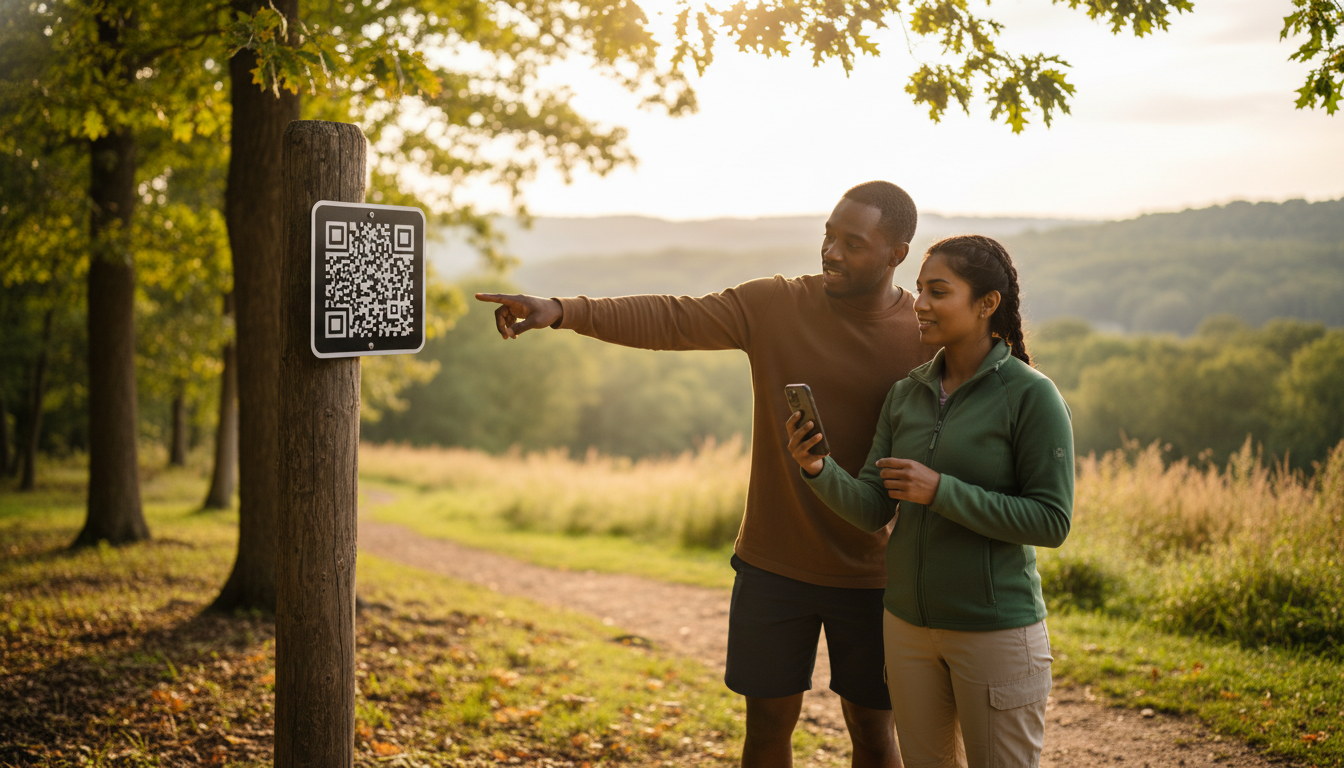
Your busiest Saturday: the front desk is jammed, kids are tugging on parents’ sleeves, and someone is waving a crumpled paper map asking, “Which trail takes us to the waterfall?” Now imagine pointing to a palm-sized sign that says, Scan for Map, and—boom—guests watch a GPS dot glide across their phone, see pop-up safety alerts, and even pay their day-use fee before they leave the lobby. One QR code just answered five questions, saved three sheets of paper, and freed up your staff to sell firewood instead of giving directions.
Hook lines to keep you reading:
• Tired of soggy maps and constant “Where am I?” questions?
• Want a check-in process so smooth guests are at their sites before your coffee gets cold?
• Curious how a 2-inch square can slash printing costs, boost safety, and reveal hidden revenue?
Stick around—this playbook shows exactly where to place the code, what to link behind it, and how to win over even the most tech-shy camper.
Key Takeaways
QR-powered mapping feels like magic, but the benefits are grounded in dollars saved, minutes freed, and happier guests. Skim these highlights first, then dive deeper to see how each point unfolds in practice.
You’ll notice a recurring theme: one tiny square translates into smoother operations and stronger revenue without forcing anyone to download yet another app.
• One small QR code lets guests open a live map, safety tips, and pay fees on their phone.
• Phone maps cut paper use and make check-in lines shorter.
• Most visitors like digital maps better than paper, so “Where am I?” questions go down.
• Ask guests to download the map while on Wi-Fi; it still works when cell signal is weak.
• Put strong, weather-proof signs at eye level with a clear “Scan for Map” message.
• Emails, texts, and a quick front-desk demo help even tech-shy guests start scanning.
• The map shows SOS buttons and hazard alerts, keeping people safer on the trail.
• Scan data tells staff which spots are busy or quiet, guiding cleaning and patrol plans.
• Extra links can sell firewood, late check-out, or coupons, bringing in new income.
• Set-up takes about one month, and savings on paper often pay for the system in the first season.
Why a Tiny Code Is Your New Trail Guide
Guests arrive with phones charged, pockets light, and expectations sky-high. They already use QR menus at restaurants and digital boarding passes at airports, so scanning for navigation inside your park feels natural instead of novel. Replacing paper maps with dynamic, GPS-enabled layers turns wayfinding into an interactive experience that updates itself, a perk that earns five-star reviews and trims the print budget without any drama.
Operators love QR mapping for the ripple effects. Fewer people crowd the welcome center because they can locate the dog park or overflow parking on their own. Staff shift from direction-giver to revenue-driver, upselling firewood bundles or e-bike rentals while the map quietly handles the where and how questions that used to monopolize conversations.
The Numbers Behind the Trend
A 2025 survey from QRC Now found that 74 percent of outdoor travelers expect real-time digital navigation at parks and trails, and 63 percent prefer QR codes over paper because they trust their phone’s GPS more than static signs (QRC Now report). This same report tracked a 30-percent drop in wayfinding complaints at early-adopter properties. Numbers like these make the business case louder than any sales pitch.
Case data adds weight. One Midwestern RV resort cut map reprints by 40 percent after launching site-specific codes through TillerXR, while average check-in time fell by two minutes because new arrivals walked straight to their pads (TillerXR site-specific tour). Even payments are shifting: the U.S. Forest Service’s Scan and Pay program now collects fees at 60-plus trailheads, proof that visitors will scan, tap, and transact in the wild (USFS Scan and Pay).
Rock-Solid Offline Access
Signal dead zones shouldn’t kill the experience. Platforms such as Mapbox, ArcGIS, and TillerXR let you flag layers for offline caching so the base map loads even when bars disappear. During the first scan, prompt guests to auto-download a lightweight PDF—it lives on their phone for the rest of the stay and doubles as insurance against a drained battery.
Back it up in the physical world. Post a reminder right on the sign: Download Before You Go. Offer low-bandwidth Wi-Fi at the lodge or parking lot so visitors can load the map before hitting the trail. And keep a stash of laminated paper maps behind the desk for the occasional flip phone or day-one device mishap. When offline redundancy is built in, complaints drop to background noise.
Signage That Gets the Scan
A QR code only works when guests actually see it and their camera can lock focus in seconds. UV-resistant aluminum plates or thick polycarbonate hold contrast through blazing sun and winter ice, staying scannable long after laminated paper fades. Mount codes at 54–60 inches—eye level for adults—where foot traffic naturally pauses: trailhead gates, junction posts, kiosk windows, and the check-in counter.
Design matters as much as durability. A calm background and a simple call-to-action like Scan for Map beat busy posters with paragraph-length instructions. Add a fallback short URL for the rare camera that won’t read codes. Finally, fold signage checks into routine trail maintenance—mud, scratches, and vandalism should be fixed before guests notice them.
Onboarding Guests From Inbox to Trailhead
Adoption starts before wheels touch gravel. Drop a screenshot and a two-step how-to into confirmation emails and pre-arrival texts: Scan the code at the lodge, Tap Download Map. Many travelers will scan while packing, giving you an early win on convenience.
Front-desk staff can finish the job. A 20-second live demo at check-in erases any lingering fear from grandparents or first-time RVers. Sweeten the deal with a free coffee refill or collectible pin for guests who show the digital orientation tour completion screen—loyalty perks fused with tech adoption. For holdouts, hang an illustrated poster by the cash register; sometimes pictures speak louder than gigabytes.
Safety Features Guests Hope They Never Need
QR maps double as quiet guardians when something goes wrong. Embed an always-visible SOS button that dials the ranger station or 911 equivalent so guests never fumble for the right number. Overlay icons for AEDs, storm shelters, and ranger cabins; in emergencies, clarity beats aesthetics.
The same platform can push geo-targeted alerts: fire bans, flash-flood warnings, or a black-bear sighting near Loop C. Keep first-aid tips and Leave No Trace reminders cached offline—helpful advice doesn’t deserve a buffering wheel. Schedule quarterly drills to verify that every safety feature still works after software updates; no operator wants to discover a broken link during a real crisis.
Turning Scans Into Operational Intelligence
Each QR plate can carry a unique URL slug, a small tweak that unlocks big insights. Basic analytics reveal which trailheads get the most scans, when peak traffic hits, and how long users stay on the map screen. Cross-reference those timestamps with trash pickup logs, restroom usage, or ranger patrol routes to align staffing with actual guest behavior.
Heat maps tell a conservation story too. Underused loops might need better storytelling or signage; overused scenic overlooks may require erosion control. A one-question survey pops up at the end of the digital tour—Did you find the map helpful? Even a ten-percent response rate flags muddy paths, unclear signage, or hidden gems worth promoting. Off-season, these data points shape maintenance budgets and new-amenity wish lists with more certainty than gut feelings.
Beyond Maps: Payments, Storytelling, Revenue
Once guests trust the scan, additional features slide in naturally. Scan-to-pay firewood or late check-out mimics the Forest Service model and keeps cash out of the ranger’s pocket. Kids scanning playground signs can unlock short safety videos, while dog-park codes display vaccination requirements. All of it lives where eyeballs already go, requiring no separate app.
Sponsorship opportunities lurk too. A local brewpub might pay to place an opt-in coupon at sunset viewpoints; a gear shop could sponsor maintenance of the waterfall trail. Keep ads minimal and relevant, and they’ll subsidize platform fees without cheapening the guest experience.
Cost and Timeline Cheat Sheet
Most parks roll out in a month. Weeks 1–2 involve choosing a platform, digitizing the existing trail map, and flagging offline layers. Week 3 is for ordering weather-proof signs and drafting guest-facing copy. By Week 4, staff training and a soft launch on one trail iron out kinks before the full property goes live.
Budgets look tamer than expected. A 150-site park that spent roughly $1,200 a year on paper maps often breaks even in the first season when printing drops and staff time reallocates. Long-term savings flow from smarter maintenance: analytics redirect thousands toward trails guests actually love, not ones managers assume they do.
Roadblocks and Fast Fixes
The number-one complaint—No signal—usually traces back to missed offline-caching settings or the absence of a preload Wi-Fi zone. Correct the toggle, post a reminder, and watch support tickets evaporate. Low scan rates stem from glare, small codes, or cluttered signage; a larger plate with a simple CTA cures the issue faster than another email blast.
Vandalism is a nuisance, not a crisis. Tamper-proof screws and spare plates stored in the maintenance shed turn a broken sign into a five-minute swap. Training new hires to spot damage during routine rounds keeps downtime negligible.
Swap the stack of soggy trail maps for a single scan and you’ll do more than declutter the front desk—you’ll unlock a cycle of smoother check-ins, smarter staffing, and five-star storytelling that keeps guests circling back. Ready to see how far that tiny black-and-white square can move the needle? Connect with Insider Perks. We’ll weave the QR experience into your branding, layer in AI-powered automations, and launch the marketing that turns every scan into revenue. Let’s map out the next chapter of your park—schedule your free strategy session today.
Frequently Asked Questions
Guests and managers alike usually share the same doubts: cost, connectivity, and whether grandma will actually scan that funny little square. This FAQ tackles those concerns head-on so you can move from curiosity to confident rollout.
Skim the answers below whenever hesitation pops up, and feel free to forward this section to stakeholders, sponsors, or anyone else who needs quick, factual reassurance.
Q: How much does it really cost to add QR-based trail maps at a small-to-mid-size park?
A: Most operators spend $800–$2,500 for a first-year rollout, which covers a subscription to a mapping platform, fabrication of weatherproof signs, and a few hours of GIS or designer labor; after that, annual platform fees average $25–$75 per month and are usually offset by savings on paper maps and shorter check-ins.
Q: Do guests need to download a special app to make this work?
A: No, modern iOS and Android cameras read QR codes natively and open the map in a mobile browser; if you also want offline access, the same link can prompt users to save a lightweight web app or PDF to their home screen without a formal app store download.
Q: What happens when there’s no cell signal on the trail?
A: During the first scan—ideally at the lodge or parking lot—the platform caches base layers and critical data to the phone, so even in dead zones the map, GPS dot, and safety overlays still function; posting “Download Before You Go” reminders and offering Wi-Fi at trailheads all but eliminates signal-related complaints.
Q: How do I keep the code scannable after rain, snow, or vandalism?
A: Mount the QR on UV-resistant aluminum or polycarbonate, use high-contrast black on white, and secure the plate with tamper-proof screws; routine maintenance rounds should include a quick scan test, and storing a few spare plates lets staff swap out a damaged sign in minutes.
Q: Will older or tech-averse campers actually use it, or will they demand paper maps anyway?
A: Adoption rates climb above 80 percent when staff give a 20-second demo at check-in and a fallback stack of paper maps is still offered; most guests who try the digital version once appreciate the live GPS dot and rarely ask for paper again.
Q: Can the same QR link handle payments for day-use fees or firewood?
A: Yes, services like Stripe or Square can be embedded behind the map link, allowing guests to toggle from navigation to a secure checkout screen without ever leaving the browser, which has already proven effective in the U.S. Forest Service’s Scan and Pay program.
Q: How do I update trails after a windstorm or add a new amenity without reprinting signs?
A: Because the physical QR only points to a URL, any edits you make in the web-based map—closing a loop, adding a bike trail, relocating an AED—appear instantly the next time a guest refreshes, so the sign never needs to change unless you rebrand or move its physical location.
Q: What kind of data and analytics will I actually see?
A: Platforms provide dashboards showing scan counts by sign, time-of-day traffic spikes, dwell time on the map, and optional survey results, letting you reassign staff, plan trash pickup, or spot underused trails with far more precision than guest anecdotes.
Q: Are there privacy or liability concerns with tracking GPS location?
A: Most systems use anonymous session IDs rather than personal data, comply with GDPR and CCPA standards, and let you toggle location tracking to aggregated heat maps; including a short privacy statement in the confirmation email and on signage satisfies legal counsel and reassures guests.
Q: Which mapping platforms work best for outdoor hospitality businesses?
A: Operators commonly choose Mapbox for its custom styling, ArcGIS for deep GIS integration, or TillerXR for turnkey campground features; all three support offline caching, unique QR slugs, and simple embed codes, so the choice usually hinges on budget, required integrations, and in-house tech comfort.
Q: How long does a typical deployment take from decision to first guest scan?
A: A motivated team can digitize existing trail maps, order signs, train staff, and soft-launch a pilot loop in about four weeks, with full-property coverage usually live by week six once minor kinks are ironed out.
Q: What about ADA compliance and visually impaired guests?
A: The map link can open with screen-reader labels, high-contrast color schemes, and adjustable font sizes, and you can host an audio description of each trail segment so guests with visual impairments receive the same navigation and safety information as everyone else.
Q: How do I encourage sponsors without annoying guests with ads?
A: Keep sponsor content opt-in and context-relevant—think a local outfitter coupon that appears only after guests tap the waterfall icon—and cap promotional pop-ups to one per scan session to preserve the map’s primary function of wayfinding and safety.
Q: What staff training is required to keep everything running smoothly?
A: Front-desk and maintenance teams need a one-hour workshop covering how to scan, troubleshoot offline issues, and replace damaged plates; quarterly refreshers aligned with software updates ensure new hires are up to speed and emergency features are tested.
Q: Can I offer the map in multiple languages for international guests?
A: Absolutely; most platforms let you upload translated trail names and safety copy, then trigger language selection based on the phone’s locale or a simple dropdown at first load, giving overseas visitors the same confidence as domestic travelers.