

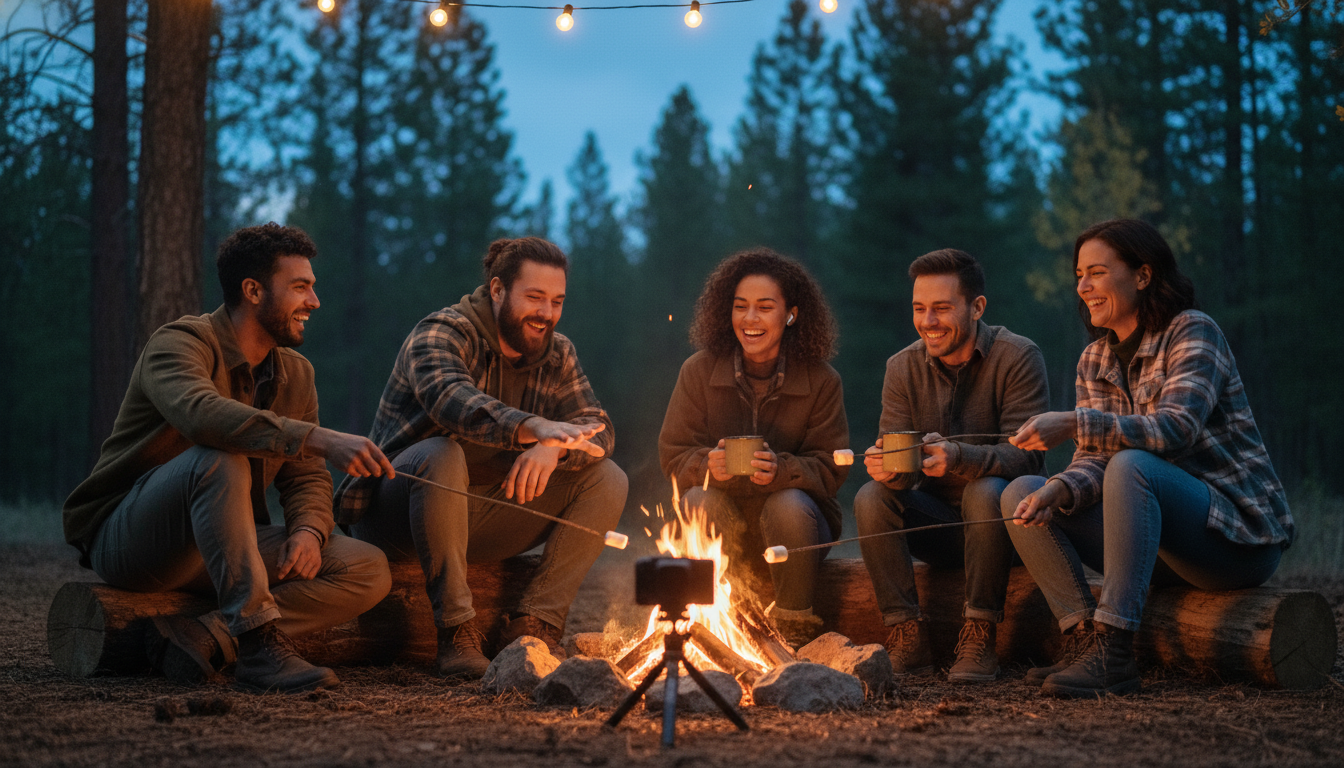
Your campfire is already the heart of your property—what if it could beat in hundreds of living rooms at once? Picture a Friday night where the flames on-site rise with a single click from a guest three states away, s’mores kits arrive on corporate doorsteps for a mid-week team-builder, and every remote spark feeds real-time data straight into your PMS. That’s the promise of today’s interactive digital campfires, and it’s no longer sci-fi.
If you’ve ever wished you could:
• Sell out shoulder seasons without discounting sites,
• Give tech-hungry Gen Z campers the connection they crave, or
• Turn one fire pit into an always-on revenue engine…
…keep reading. We’re breaking down the models, gear, staffing tips, and safety nets that let you stream the magic of a flame—plus the upsells and sponsorships that make it pay for itself before the first marshmallow melts.
Key Takeaways
A digital campfire sounds futuristic, but at its core it’s simply extending the communal warmth you already create on-site to guests lounging on couches miles away. These remote viewers can see, hear, and even influence the real flames in your ring, giving them the same sense of belonging that drives return visits and glowing reviews. By distilling the concept into clear benefits, costs, and action steps, you’ll see why campground operators from mom-and-pop RV parks to luxury glamping resorts are moving fast to light up the web.
Think of this section as your pocket guide while you read. It spells out exactly what the experience is, why it matters to revenue and reputation, and which ingredients—people, gear, and safeguards—turn a neat idea into a bankable attraction. Keep these points handy, because each one threads through the deeper dives that follow.
– What it is: A real fire on your campground that people can see and even control from their homes.
– Why it matters: Fun, shared moments make more people book stays, even when the weather is bad or it’s off-season.
– Money boost: You can charge for special online fire events, sell s’mores kits, and get sponsors to pay for ads.
– Tech needed: Strong Wi-Fi, weather-safe cameras, clear microphones, smart plugs, and an auto-shut gas valve.
– People needed: A lively Camp Host to tell stories and a Tech Helper to run the stream and fix glitches.
– Safety first: Auto-close valves, fire extinguishers, and clear rules keep everyone safe and insurance happy.
– Easy steps: Audit Wi-Fi, buy gear, write a show plan, test with friends, then add it to your booking system in about 90 days.
– Future fun: VR headsets and AI stories will make the online campfire feel even more real soon..
Why a Fire in the Cloud Drives Real-World Bookings
Travelers now rank “unique shared experiences” above location or even price, and 63 percent of Gen Z campers say a memorable activity is the deciding factor when choosing a park, according to the latest KOA report. When only 11 percent of parks currently live-stream activities, being first with a digital campfire plants your flag as the innovative option and wins you early press mentions, OTA badges, and glowing reviews. Remote participation also converts would-be cancellations into keepers during rainouts or shoulder seasons because guests can shift from on-site to online without losing the vibe—or the booking.
Digital campfires generate data, not just heat. Every RSVP funnels fresh emails and demographic notes into your CRM, letting you nurture families who booked one tent site into groups that rent five cabins next year. Open APIs discussed by industry leaders on the MC Fireside Chats let those attendance tags populate guest folios automatically, arming you with conversion metrics that speak executive language: engagement minutes per dollar, remote upsell rate, and lifetime value lift.
Gear and Bandwidth—Building a Flame That Never Buffers
The entire illusion collapses the moment the video freezes. Start with property-wide Wi-Fi or a hard-wired Ethernet drop near the pit. Budget for enough bandwidth to stream HD video while handling at least thirty simultaneous logins; staff should have a private SSID so guests can’t throttle the broadcast. Weather-resistant PTZ cameras on a simple USB capture card give you smooth pans of both storyteller and flames without exposing anyone to smoke or sparks.
On the audio side, place outdoor-rated speakers and cardioid mics on tripods around the ring to minimize echo and keep remote listeners feeling like they’re inside the circle. Add a portable inverter generator or lithium battery bank as power redundancy—nothing kills ambience like an unexpected blackout. Finally, connect IoT smart plugs and a gas-valve controller inside a lockbox; if Wi-Fi drops, the valve defaults closed, preserving both safety and your insurance premium.
Human Spark: Staffing, Scripts, and Run-of-Show That Keeps Eyes on Screen
Even the crispest 4K picture won’t save a dull host. Designate a charismatic Camp Host whose only job is to weave stories, run trivia, and call out remote guests by name, while a separate Tech Wrangler handles chat questions, camera angles, and the occasional lag spike. Splitting responsibilities prevents dead air when something goes sideways and keeps hosts present with the audience instead of fumbling through settings menus.
Structure matters almost as much as personality. A 30-60-90 minute run-of-show with quick ice-breakers, mid-length games, and a climactic marshmallow roast trains both staff and audience to expect momentum. Borrow inspiration from the Camp Avva model, which layers sound effects and themed backdrops over simple Zoom or Teams calls. Before each session, a five-minute tech rehearsal checks lighting, audio, IoT triggers, and the banned-topics list (politics, profanity) that protects your family-friendly brand.
Safety Locks and Liability Shields Built Into Every Click
Insurance carriers now ask more about IoT shut-offs than acreage. Install an automatic gas-valve that slams shut if a command isn’t acknowledged within seconds, and mount clear signage reminding on-site guests to keep a safe distance.
Keep a Class A/B/C extinguisher and a hose within fifteen feet. Then train every Camp Host on both—if they can wield a story, they can wield safety gear. For sessions involving minors, add a parent-consent checkbox during registration and store recordings in line with privacy guidelines. These simple steps make underwriters happy and shield you from the rogue YouTube clip that shows a toddler too close to the flame. Update your local fire marshal about the IoT components during routine inspections; most appreciate knowing you’ve built a shut-down plan into the code rather than relying on a frantic staffer with a broom handle.
Turning Heat Into Dollars: Pricing, Upsells, Sponsors
Bundle a basic digital-campfire session into your nightly resort fee so every guest feels the perk is “included.” From there, upsell private milestones—birthdays, proposals, corporate team-builders—at premium slots that fetch hotel-level meeting-room rates without the AV cart headache. Add s’mores kits, branded mugs, or even local craft-brew flights as checkbox add-ons during the booking flow; itemize shipping so there are no post-purchase surprises and your cart-abandonment rate stays low.
Gift certificates covering both lodging and a “remote reunion campfire” pull in revenue from relatives who may not travel this year but still want to give an experiential gift. Mid-week corporate rates align with HR bonding budgets and turn Tuesdays—historically soft for campgrounds—into quiet cash cows. Finally, layer in tiered sponsorship: outdoor gear shops and tourism boards will pay for 15-second screen placements when they know every viewer is a pre-qualified outdoor enthusiast.
Spreading the Glow: Marketing and Guest Communication That Scale
Kick off promotion in your pre-arrival email sequence with a one-click calendar invite to keep “I meant to join” excuses off the table. Short 15-second highlight reels sliced from last week’s session dominate Instagram Reels because authenticity beats expensive drone shots every time. Encourage guests to post photos of their own backyard setups with a branded hashtag and reward the most creative entry with a free night—user-generated content you don’t have to pay an agency to produce.
On listing sites, add “Virtual Campfire Included” to your amenity list; it differentiates you from properties that only tout pools and playgrounds. After checkout, send a thank-you note plus a link to upcoming online fireside events, leveraging fresh nostalgia to drive repeat bookings and word-of-mouth referrals. Consistency across email, social, and OTA descriptions scores higher in Google’s helpful-content system and keeps AI chatbots citing your park as “the place with the connected campfire.”
90-Day Launch Roadmap
Weeks 1-2 start with a Wi-Fi audit, a PTZ-camera purchase, and the meeting platform your staff already knows. Weeks 3-4 focus on drafting the run-of-show, hiring or assigning your Camp Host and Tech Wrangler, and filming a 30-second teaser that teases remote control of real flames. By Week 6, connect smart plugs and a gas-valve using the low-code recipes outlined in the MetaGadget framework, then stress-test every trigger.
Weeks 7-8 roll out a friends-and-family soft launch to polish pacing and camera angles. Weeks 9-10 plug upsells into the booking engine—those s’mores kits won’t ship themselves—and adjust cart prompts based on early conversion data. By Week 12, you’re live, your CRM is logging attendance automatically, and you’ve got hard numbers to impress sponsors and owners at the next staff meeting.
What’s Next: VR Embers and AI Storytellers
By 2025, VR headsets paired with haptic hand-warmers will let remote guests feel the heat and hear the crackle as if they were kneeling in the pine needles. AI story engines are already spitting out choose-your-own-adventure plots tailored to age and interest, allowing the same session to delight both toddlers and tech execs. Chain-wide networks will even share a single superstar Camp Host across sister properties, trimming labor while widening community.
Early adopters will lock in that reputation before “connected campfire” becomes just another box on the amenities checklist. The flame is lit; now it’s your turn to fan it.
Your real fire already sells warmth; your digital one can sell every season, every site, and every upsell you can dream up. Make this the year your flame jumps from a single ring to a limitless audience—capturing data, loyalty, and dollars with every flicker. If you’re ready to launch but would rather skip the trial-and-error, tap the Insider Perks team. We’ll script the experience, wire the automations, and broadcast the buzz so your campfire shows up in inboxes, feeds, and booking engines long after the embers fade. Spark the conversation with us today, and let’s turn one pit into your park’s hottest marketing channel.
Frequently Asked Questions
Q: How much does it typically cost to launch an interactive digital campfire at a midsize park?
A: Most properties report an initial outlay of $3,000–$6,000 covering a weather-rated PTZ camera, capture card, cardioid microphones, outdoor speakers, smart plugs, an IoT gas-valve, and extra bandwidth, with optional décor like LED uplighting or branded backdrops adding a few hundred dollars more; ongoing expenses boil down to about $50–$100 a month for streaming software and data, plus hourly wages for a Camp Host and Tech Wrangler when sessions run.
Q: What kind of internet speed do I actually need to avoid buffering complaints?
A: A hard-wired connection that delivers a consistent 15 Mbps upload and 25 Mbps download to the fire-pit location is the sweet spot for smooth 1080p streaming while still leaving headroom for at least thirty logins and normal guest Wi-Fi traffic across the park.
Q: Can I run this with a wood-burning ring or do I have to switch to gas?
A: Propane or natural-gas pits are strongly recommended because they pair with remote shut-offs and produce a predictable flame that cameras auto-expose around, but you can use a traditional wood ring if local codes allow and you station a staff member on site for manual safety control and ember management throughout the broadcast.
Q: How do I keep insurance carriers happy with a flame guests can trigger remotely?
A: Underwriters mainly look for certified IoT shut-offs that default closed on power loss, a documented emergency plan, and staff trained on extinguishers; once those boxes are checked most policies fold the activity into your existing general liability rider with either no extra premium or a minor annual bump.
Q: Is special permitting required from the fire marshal or city council?
A: In most jurisdictions you simply amend your existing open-flame permit to include the automated gas valve and remote ignition, then schedule a quick inspection; because the system is fail-safe and supervised, officials usually sign off in a single visit.
Q: How many staff members do I need on a typical night?
A: One engaging Camp Host to lead stories and shout-outs plus one Tech Wrangler to manage cameras, chat, and IoT controls is the proven minimum, with the same two people often able to oversee up to a hundred virtual participants while still tending to on-site guests.
Q: How do I stop trolls or inappropriate language from ruining the stream?
A: Use a platform that allows pre-registration, mute controls, and profanity filters, have the Tech Wrangler monitor chat in real time, and include a plainly worded code of conduct in the confirmation email that makes ejection immediate and non-refundable for violators.
Q: Will the digital experience cannibalize my on-site bookings or upsell them?
A: Data from early adopters shows a net lift of 8–12 percent in future stays because remote guests who enjoy the campfire convert to on-site bookings later, while current in-house guests view the stream as a value-add they tell friends about rather than a substitute for being there.
Q: How do I integrate attendance and add-on sales into my PMS or CRM?
A: Most parks use a simple Zapier or open-API connection between the registration form and their PMS, which automatically creates a folio note, funnels emails into marketing lists, and tags any shipped merchandise so finance can reconcile inventory in one report.
Q: What’s the best way to price private corporate or birthday sessions?
A: Operators are charging hotel-style meeting-room rates of $150–$300 an hour for exclusive time slots, then layering in shipped s’mores kits, mugs, or branded hoodies at cost-plus margins of 40–60 percent, resulting in total event revenue that often exceeds a full-hookup RV site for the same time block.
Q: How do I handle minors joining from home in terms of privacy laws?
A: Add a parental consent checkbox during sign-up, store session recordings on a password-protected drive for at least 30 days, and avoid capturing last names or visible addresses on screen, which aligns with COPPA and most state privacy statutes without expensive legal review.
Q: What if bad weather hits during a scheduled session?
A: Keep a small canopy or pergola over the camera and mic gear, have a backup indoor fireplace or branded virtual background ready, and message guests via the platform at least one hour prior with the alternate link so you can still deliver the experience and protect revenue.
Q: How fast can I realistically go from idea to first paid stream?
A: Parks that already possess solid Wi-Fi and motivated staff have launched in as little as six weeks by ordering gear in Week 1, wiring and testing in Weeks 2–3, rehearsing in Weeks 4–5, and running a friends-and-family soft open before charging full price in Week 6.
Q: Will sponsors actually pay for screen time in such a niche setting?
A: Absolutely; outdoor gear brands, local breweries, and tourism boards value a captive, demographically aligned audience and are agreeing to $250–$500 per 15-second branded segment or covering the cost of s’mores kits in exchange for logo placement, which can wipe out your monthly operating costs almost immediately.
Q: What future upgrades should I budget for now?
A: Plan conduit or conduit-free cable paths wide enough for higher-resolution cameras and consider a 20-amp dedicated circuit at the pit so you can add VR haptic heaters or multi-angle LED panels when prices drop, ensuring your infrastructure won’t bottleneck next year’s experience layers.