

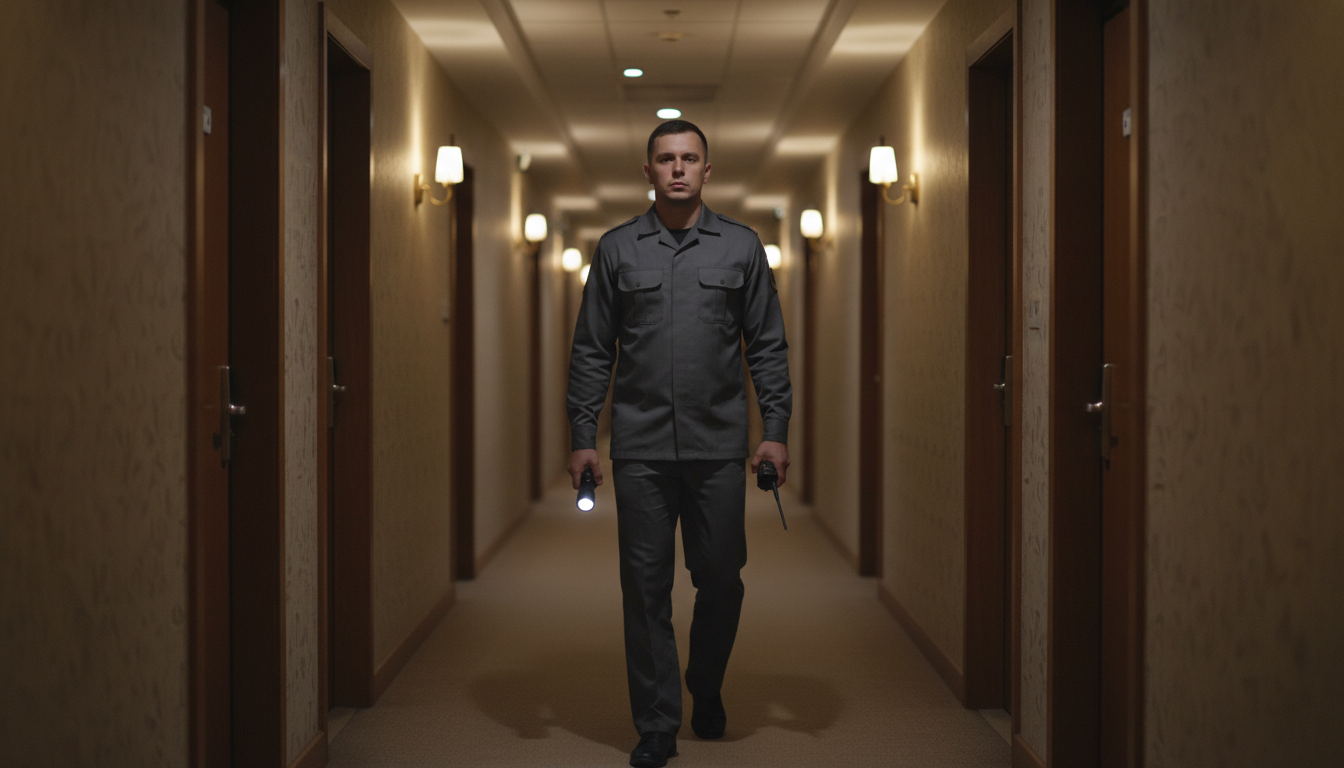
Another five-star stay slips to three because site 42 cranked up the karaoke at 11:45 PM—and now you’re comping nights instead of counting revenue. Midnight generator hum, barking dogs, frazzled staff patrols: the price of broken quiet hours keeps showing up on your balance sheet.
What if the same geofence that reels in last-minute bookings could flip the switch on nighttime noise? Imagine a silent push alert the moment a phone crosses into your “quiet loop,” automated reminders before decibels spike, and fewer boots trudging around after dark. Ready to trade flashlight patrols for push-button peace? Keep reading.
Key Takeaways
• Draw a digital fence around your campground loops
• Fence “wakes up” only during quiet hours, like 10 PM–7 AM
• Guest phones that cross the fence get a gentle “please lower noise” alert
• Sound meters watch real decibel levels and double-check the problem
• If noise continues: step 1 push alert, step 2 text or call, step 3 in-person visit
• Early tests cut noise complaints 40–60 % and trim patrol labor by one-third
• Fewer refunds for bad sleep protect nightly revenue and boost 5-star reviews
• Start small with one loop, run a 48-hour test, then roll out park-wide.
The bullets above distill the entire strategy into one glance, but they only scratch the surface of what a smart geofence can do for guest satisfaction and your bottom line. In the sections that follow, you’ll see how each takeaway translates into concrete steps—from mapping digital boundaries to automating staff workflows—so you can deploy a pilot without stalling operations or drowning in tech jargon.
Whether you manage a mom-and-pop RV park or a destination glamping resort, the payoff is the same: quieter nights, happier guests, and revenue that sticks. Let’s break down the how and why, loop by loop.
From Radius to Rest: Geofencing Steps Up
Geofencing has already proven its worth as a booking magnet. Drawing a 50-mile digital perimeter around your property and firing a discounted-stay notification when a traveler’s phone breaches the line can lift same-day reservations by double digits, as documented in the Insider Perks 50-mile playbook. The tech is opt-in, friction-free, and validated by increased occupancy during shoulder seasons.
The leap from marketing to guest experience is surprisingly short. If a phone can trigger a discount at noon, it can whisper a courtesy reminder at 10 PM. Operators now draw time-aware zones that wake up only during posted quiet hours, letting guests enjoy full connectivity by day and a nudge toward silence by night. When that nudge fails, the same boundary delivers your staff a precise site number instead of a blurry “row in the back.”
Designing Quiet Zones That Match Your Map
Circular fences capture highway traffic, but enforcing quiet rules demands precision. Research using binary quadratic programming sculpts irregular fences that hug lakeshores, skirt generator-friendly rows, or encircle premium tents with surgical accuracy advanced fence algorithm. Start small: fence a single loop notorious for late-night fireside guitar jams before scaling across the acreage.
Time rules matter as much as terrain. Program the fence to nap from sunrise to 9:59 PM, then switch to full alert at exactly 10. A guest strolling in at 9:45 gets zero pings; the same stroll at 10:05 launches a gentle push and logs their arrival. No one is punished for perfectly reasonable evening walks—accuracy breeds trust, and trust keeps opt-ins high.
Linking Location to Live Decibels
Location tells you who is where, but microphones confirm what they’re doing. Live dashboards stream decibel levels in real time, flagging spikes above 55 dB(A) and logging the event for morning review, as explored in Insider Perks’ guide to noise dashboards. By merging a geofence “entry” event with that decibel data, you form a two-factor truth: presence inside a quiet zone plus proof of actual noise.
Automation handles the first tier of response. A soft “Psst… quiet hours just kicked in” push pairs with a screen animation of twinkling stars. If decibels keep climbing, staff receive a text that includes site number, noise level, and timestamp. Only on the third strike does a night host unclip the flashlight—saving soles, souls, and overtime dollars.
Getting Guests On Board Before They Arrive
Guest buy-in begins long before the gate arm lifts. Add a two-sentence blurb in the confirmation email that frames the Quiet-Zone program as a perk—“uninterrupted sleep is on us.” Reinforce the message with a pre-arrival text, positioning participation as standard, not special.
At check-in, slide a QR code across the counter that opens an FAQ: how the fence works, why it protects their rest, and exactly what happens if limits are exceeded. In the app, place the consent toggle on the same screen as Wi-Fi credentials and gate codes. Guests perceive it as part of setup, not extra red tape. For analog holdouts, lightweight signs at loop entrances echo the same window—“Quiet 10 PM–7 AM”—ensuring no one claims ignorance because their flip phone can’t scan QR.
Workflow That Lets Staff Sleep Too
Three tiers keep emotions low and consistency high. Tier 1: automated push. Tier 2: a friendly text or call—“Just a heads-up, your music is carrying beyond site 42.” Tier 3: an in-person visit with empathy first—“We want everyone to enjoy a good night’s rest.” Role-play that language during training so night hosts lead with courtesy, not confrontation.
As trust in the system grows, night patrol frequency shrinks. Data from early adopters shows patrols dropping from hourly to every three hours within two weeks, reallocating labor to morning cleanup and guest-activity prep. Each alert, response, and resolution logs to your PMS, giving the day shift instant clarity on what happened after lamps went out. A five-minute Monday huddle compares dashboard spikes with guest comments and tweaks thresholds before the next sell-out weekend.
Hardware, Signal, and Data You Can Trust
Tech fails where cell bars fade, so first walk the grounds with a speed-test app. Dead zones get multi-network SIM hotspots or a compact booster, ensuring alerts never stall. Outdoor-rated decibel meters in IP-65 housings with 24-hour batteries shrug off dew and brief outages.
Mount sensors at head height and out of direct wind to avoid false gust spikes. All data rides SSL tunnels to encrypted databases, and you collect only what you need: device ID, site number, timestamp, and decibel value. Automatic deletion after 30 days mirrors industry dispute windows, and a one-tap opt-out in the app or at the front desk satisfies privacy-minded travelers before they ever reach TripAdvisor.
Proving the Payback
The math is blunt. Track noise complaints per 100 occupied sites for two weeks before launch and two weeks after; early tests show drops of 40–60 percent. Pull patrol time sheets and see labor hours shrink by a third when the fence shoulders the first warning.
Refund leakage tells an even harder truth. Fewer “sorry about the noise” discounts flow out, and post-stay surveys gain a new benchmark question: “How satisfied were you with nighttime quiet?” When “Very Satisfied” moves from 68 to 83 percent, your ADR holds firmer, and OTA reviews glow. Divide sensor and software spend by monthly savings on labor plus retained revenue; many parks hit break-even before the last leaf color changes.
Implementation Roadmap
Step one: choose a single loop and draw its boundary with the advanced mapping tools referenced above. Step two: install two or three battery-backed decibel sensors and link them to your live dashboard. Step three: update guest messaging—emails, texts, app copy, and that omnipresent QR sheet.
Next, coach staff on the three-tier escalation, rehearsing tone until it sounds natural. Run a 48-hour pilot, tweak thresholds, verify alerts. Finally, roll out property-wide, monitor the ROI metrics monthly, and fine-tune before each peak weekend. The process is linear, measurable, and—most importantly—repeatable across sister properties.
Silence is golden only when it’s engineered. If you’re ready to transform the same geofence that fills empty sites into the guardian of your quiet hours—complete with AI-guided alerts, automated workflows, and marketing muscle that keeps the campground humming by day and hushed by night—schedule a quick, no-pressure demo with Insider Perks and discover how our marketing, advertising, AI, and automation services can help you draw a digital line that guests—and five-star reviews—will never cross.
Frequently Asked Questions
Q: What hardware do I actually need to launch a geofenced quiet-hour program?
A: Most parks start with cloud-based geofencing software, two to four weather-rated decibel sensors per loop, and optional signal boosters for weak spots; guest phones handle the location side, so no on-site beacons or cabling is required.
Q: Do my guests have to download a dedicated app to receive quiet-hour reminders?
A: No—modern geofence platforms can send browser-based push notifications or SMS to any opt-in smartphone, though an app does unlock richer features like one-tap consent and site-number matching.
Q: How accurate is the fence and will it ping guests who are simply walking nearby?
A: Using advanced polygon mapping, the virtual boundary can hug individual sites with sub-ten-foot accuracy, so alerts trigger only when a device crosses into the specific quiet zone rather than when it passes on an adjacent road or trail.
Q: What if some guests decline location sharing or only carry flip phones?
A: The system still works because decibel sensors provide the second layer of enforcement; guests without smartphones won’t get automated nudges, but staff will still see noise spikes and can intervene using traditional patrol methods.
Q: Are we collecting personal data that could create privacy or legal headaches?
A: You store only an anonymized device ID, timestamp, site number, and decibel reading, purge the data after 30 days, and offer an opt-out at any time, aligning with common U.S. and Canadian privacy statutes and keeping you clear of personally identifiable information.
Q: What decibel threshold should we set for the first alert?
A: Parks aiming for a hotel-style sleep environment typically start around 55 dB(A) measured at head height, a level comparable to normal conversation, then fine-tune after a one-week pilot to balance guest comfort with practical enforceability.
Q: How much will a pilot cost and when should I expect ROI?
A: A single-loop test often runs under $2,500 for sensors, software, and signage, and early adopters report breaking even in two to three months by cutting night patrol overtime and eliminating refunded nights tied to noise complaints.
Q: Can the platform feed alerts into my existing PMS or guest-messaging tool?
A: Yes—most vendors offer open APIs or Zapier connections, so entry events and noise violations can flow directly into your PMS notes, ticketing system, or whatever channel your staff already monitor.
Q: What if parts of my property suffer from spotty cell coverage?
A: Run a speed-test walk-through first; small multi-carrier hotspots or directional boosters usually solve dead zones for under $400 and ensure both guest devices and sensors stay online during quiet hours.
Q: Will wind, rain, or nearby generators create false noise alarms?
A: Proper sensor placement—head height, shielded from direct wind—combined with software filters that ignore transient spikes under three seconds all but eliminates weather noise and captures only sustained disturbances.
Q: How do we train staff so enforcement feels friendly, not punitive?
A: A 30-minute role-play session covering the three-tier script (“automated push, friendly text, in-person visit”) plus access to real-time dashboard data is usually enough for night hosts to act consistently and confidently.
Q: Can we reuse the same geofence for marketing messages during the day?
A: Absolutely—time-based rules let you broadcast midday activity promos or upsells, then flip automatically to quiet-hour mode without drawing or managing separate fences.
Q: How hard is it to scale from one loop to the entire park once the pilot works?
A: Expansion is mostly software: duplicate the geofence shape, copy notification rules, and add additional sensors where needed; physical installation time drops by roughly 60 percent after the first run because signal mapping and staff training are already complete.
Q: Will the system function during seasonal events or temporary group rallies?
A: Yes—just create a temporary fence around the event area, assign custom quiet-hour windows, and archive or delete the zone once the rally ends, keeping your main property rules untouched.
Q: What about medical devices or CPAP machines that emit continual sound?
A: Continuous low-frequency hums below common thresholds rarely trigger the decibel limit, but if they do, staff can whitelist the site in the dashboard so the guest remains undisturbed while neighboring sites still receive standard monitoring.